The knowledge base below will highlight how you can issue a Sales Return in HPOS.
Pre-Requisites:
Please note that the user should have the necessary user permissions to do a sales return.
If the user does not have the necessary permissions/rights then the admin user should do the sales return.
Difference between Return All & Advanced Return:
- Use the return all option if you want to return all items from the sale, i.e., if there were 10 items from the sale and you want to credit all items.
- Use the advanced return option if you have a select number of items you want to return & not all, i.e., if 2 bags + 1 shoe were bought and only one bag has to be returned from the full sale.
Sales Return on Ingenico Axium DX8000 (Small POS machine):
> Login on pos machine
> Select the three lines at the top left corner of the screen
> Select Receipts
> Locate the correct invoice you want to credit
> Select the Refund Sale option
> Enter Return Reason (mandatory field)
> The system automatically selects all products for the return so if there is a product you do not want to include on the return, just minus the Return Qty on that product to 0 or to the desired return quantity
> To approve the return, select Submit Return
Sales Return on the Web or Ingenico Axium CX8000/P3 Mix (Bigger POS machine):
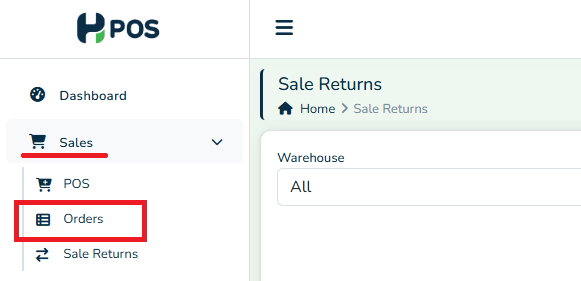
> Go to Sales module on the left panel
> Orders
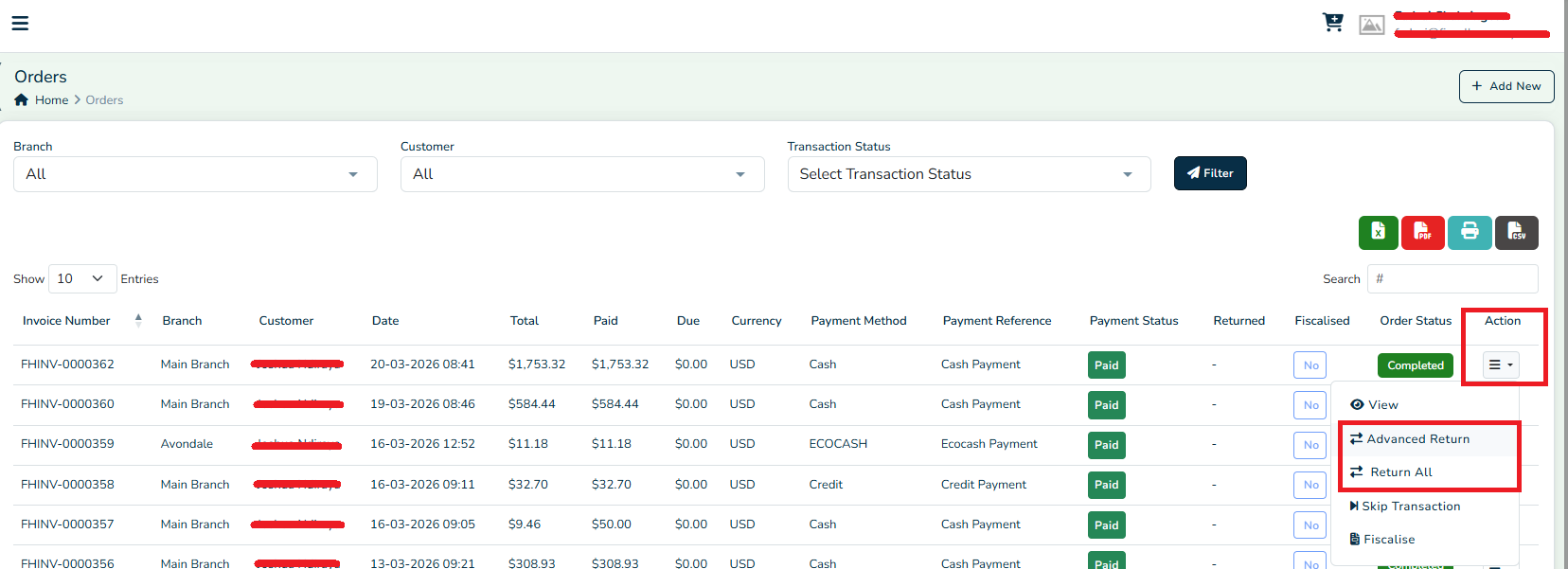
> Locate the correct invoice you want to credit
> Select the Actions menu on that invoice
> Select Advanced Return
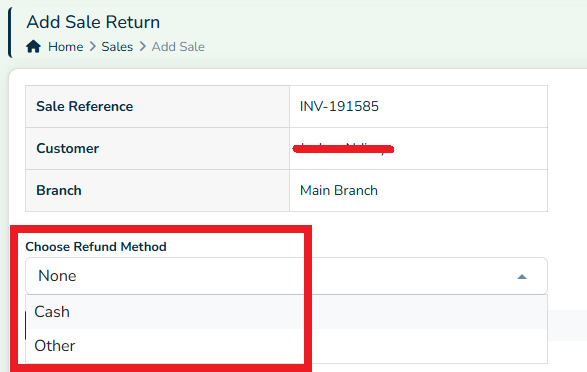
> On the credit note page, select the Refund Method
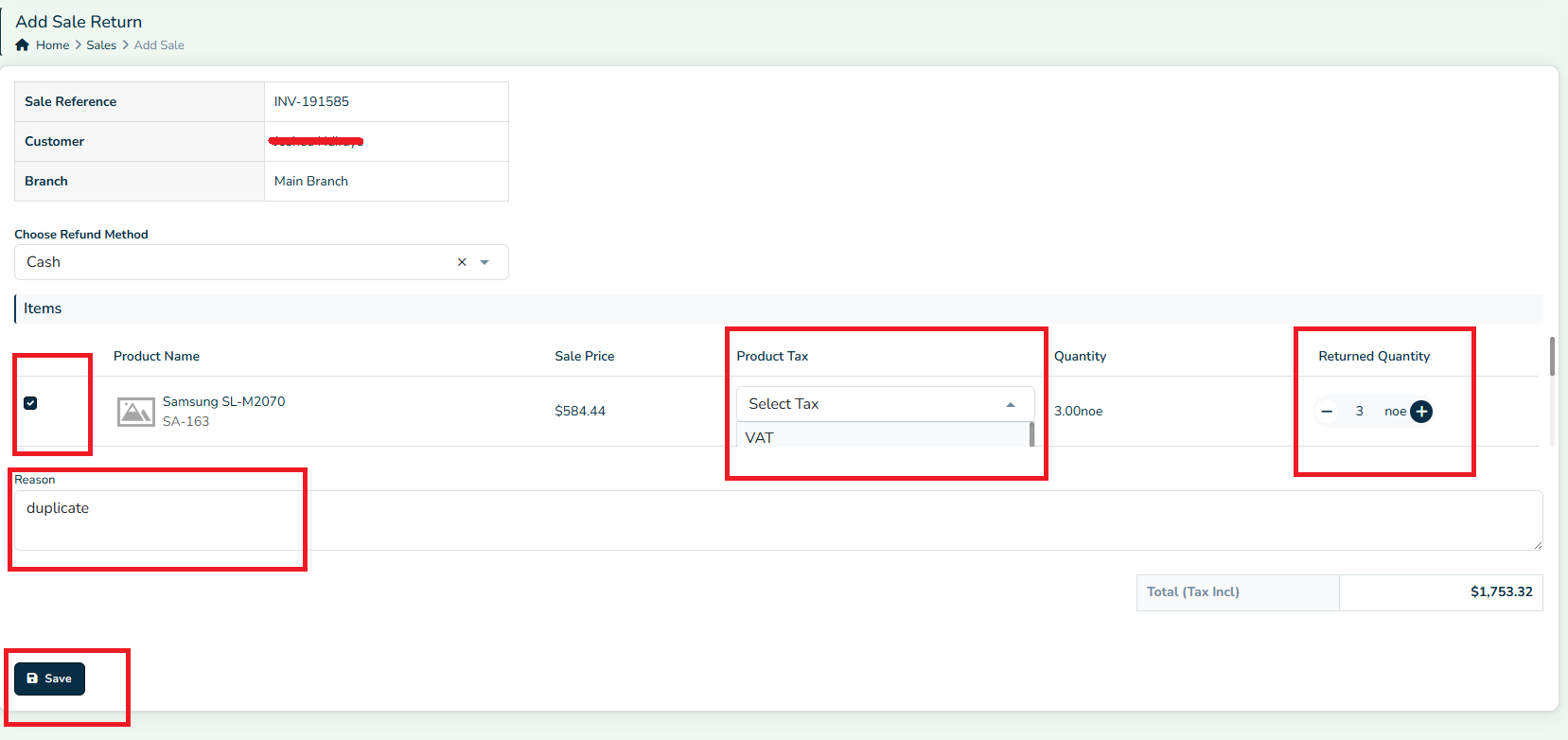
> Select the products being returned
> Select the Product Tax type used on Original Invoice for the selected products
> Select the Returned Quantity
> Put a Reason (mandatory field)
> Save
> You can use the Return All option if all items from the sale are being returned
Was this article helpful?
That’s Great!
Thank you for your feedback
Sorry! We couldn't be helpful
Thank you for your feedback
Feedback sent
We appreciate your effort and will try to fix the article